← AI HoodmanNo. 011 · Language

Smart Compose

How do you make autocomplete fast enough?

01of 07
Use the arrows, swipe or the arrow keys to turn the slides. Click a slide to read it page by page.
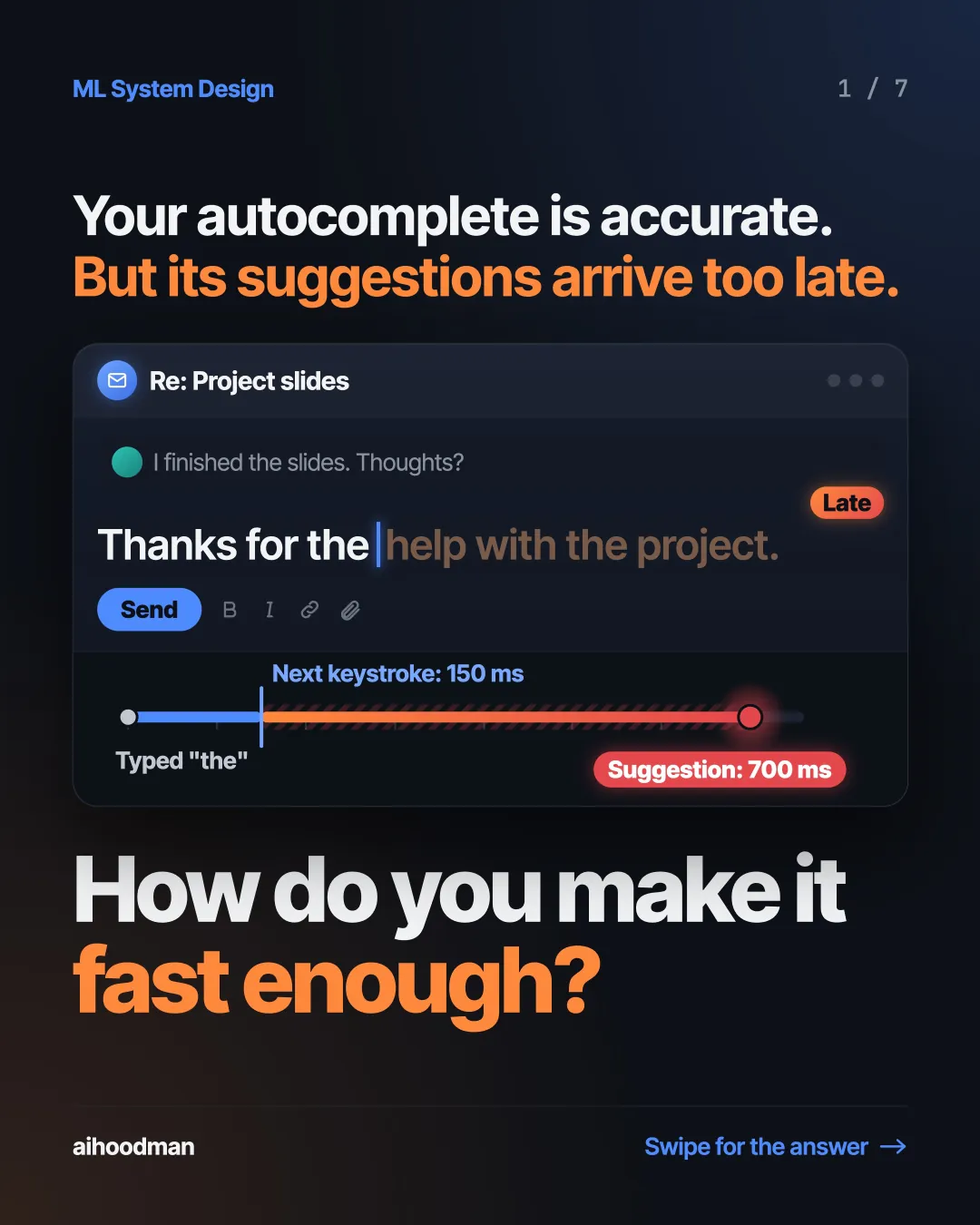
  1. Slide 1 of 7: Your autocomplete is accurate. But its suggestions arrive too late. Re: Project slides I finished the slides. Thoughts? Late Thanks for the help with the project. Send Next keystroke: 150 ms Typed "the" Suggestion: 700 ms How do you make it fast enough?
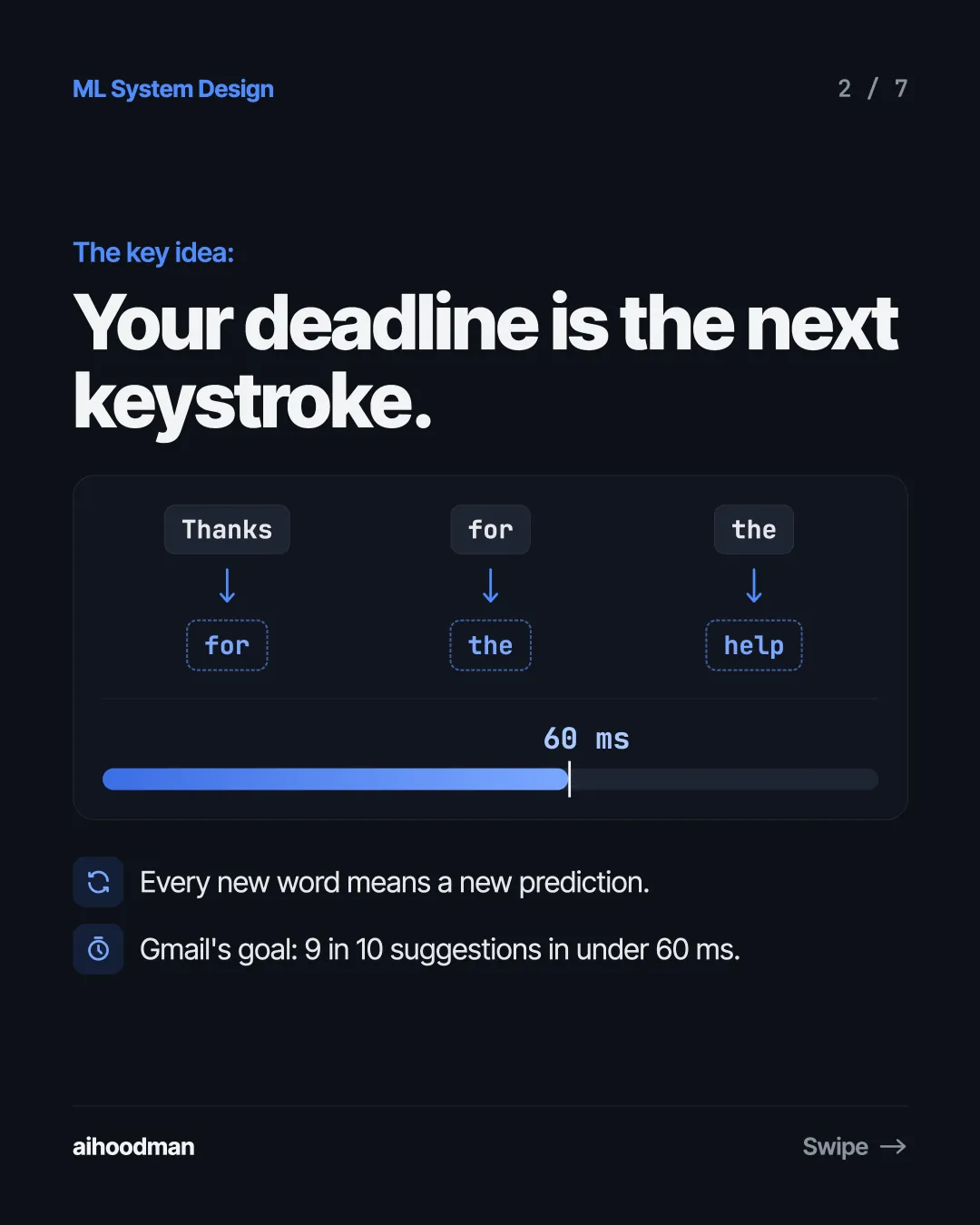
  2. Slide 2 of 7: The key idea: Your deadline is the next keystroke. Thanks for the for the help 60 ms Every new word means a new prediction. Gmail's goal: 9 in 10 suggestions in under 60 ms.
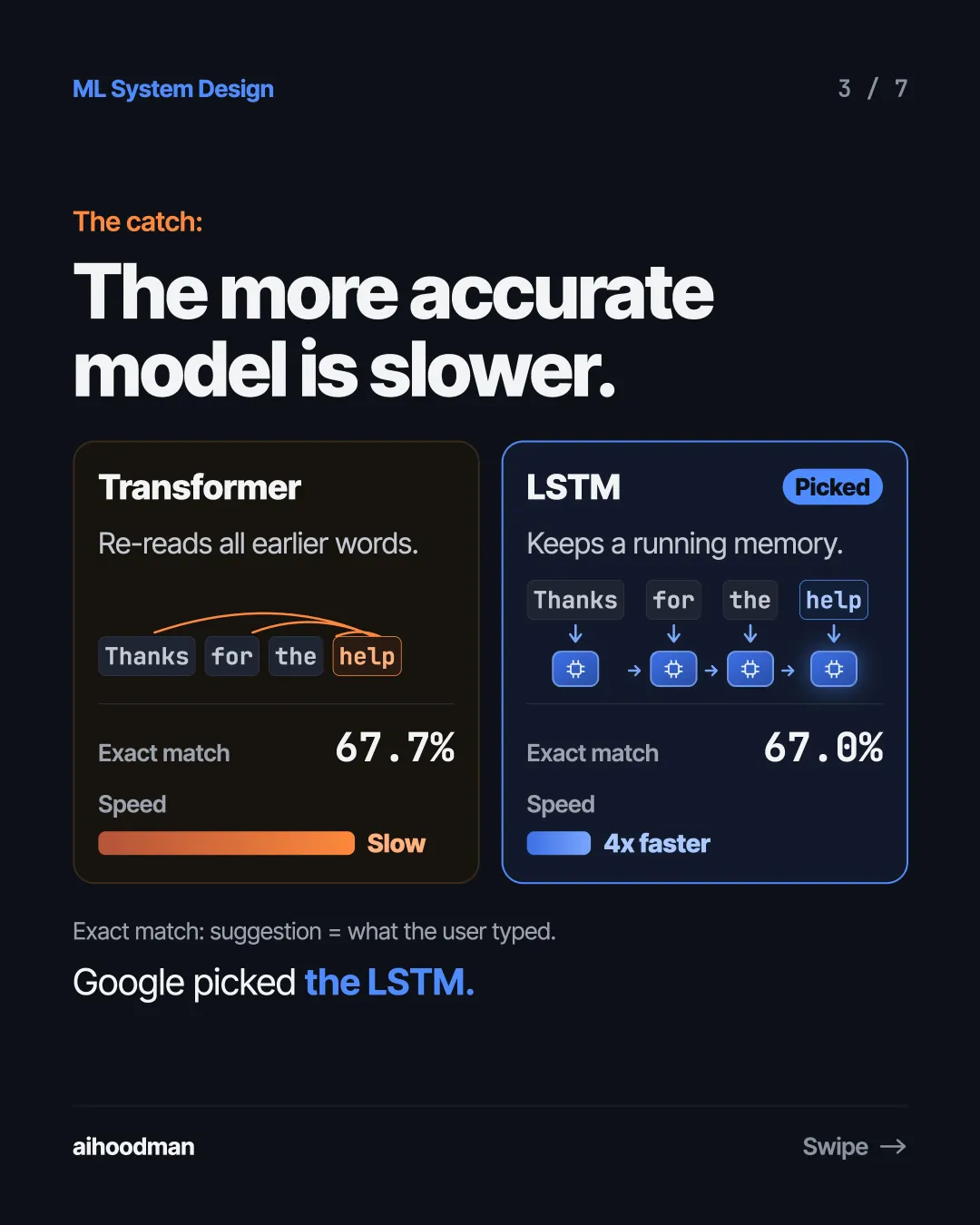
  3. Slide 3 of 7: The catch: The more accurate model is slower. Transformer LSTM Re-reads all earlier words. Keeps a running memory. Thanks Picked for the help Thanks for the help Exact match 67.7% Speed Exact match 67.0% Speed Slow 4x faster Exact match: suggestion = what the user typed. Google picked the LSTM.
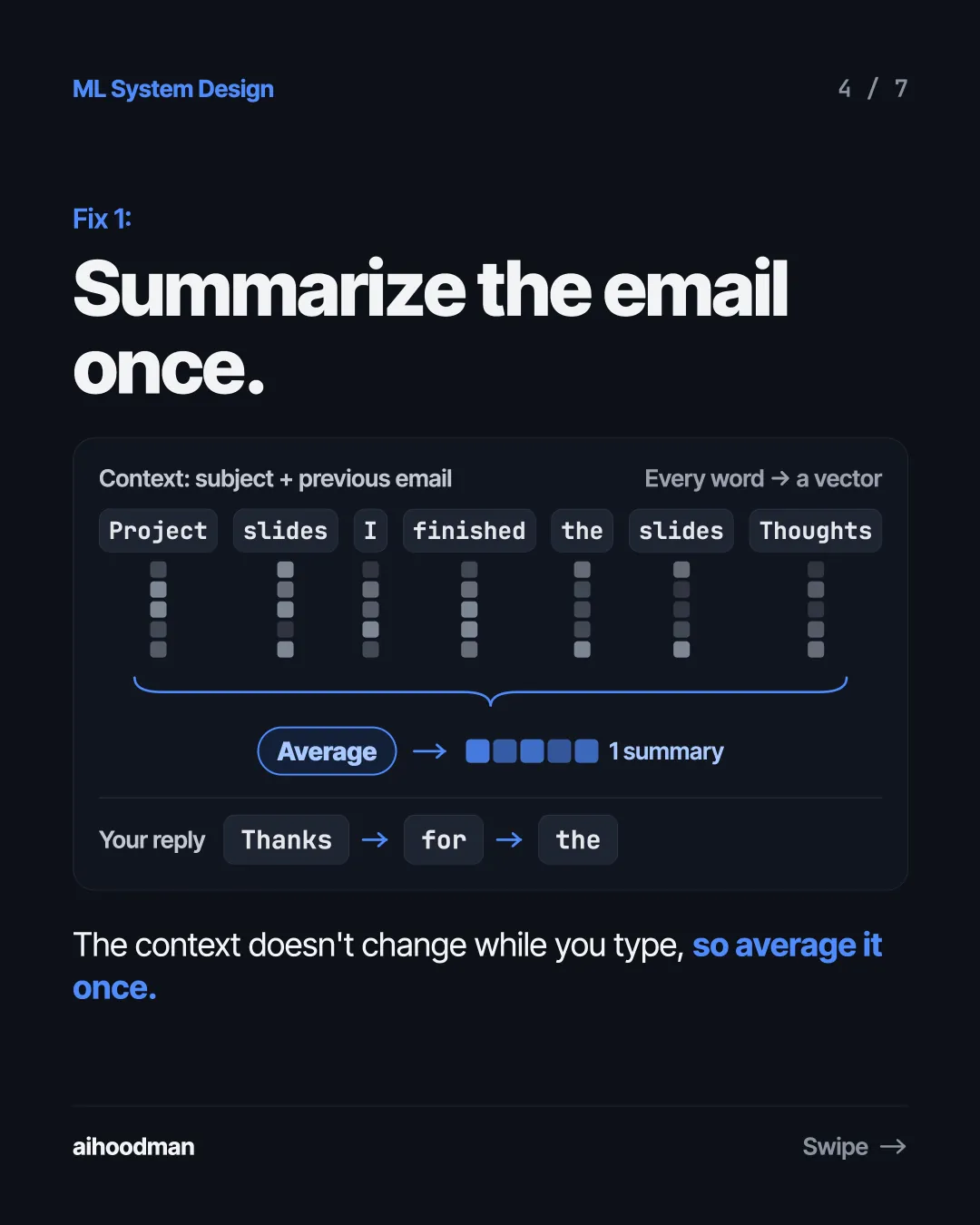
  4. Slide 4 of 7: Fix 1: Summarize the email once. Context: subject + previous email Project slides I finished Every word → a vector the Average Your reply Thanks slides Thoughts 1 summary for the The context doesn't change while you type, so average it once.
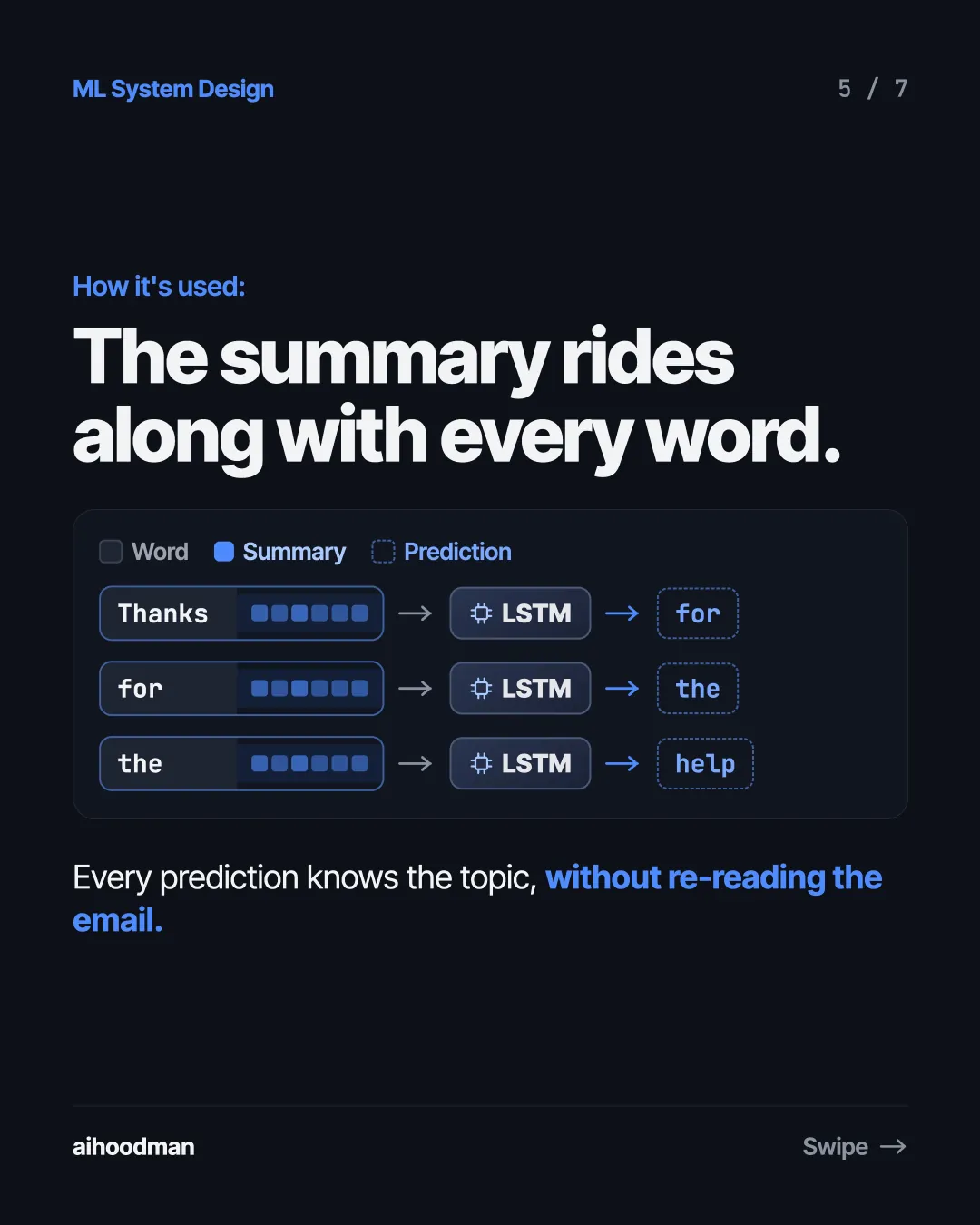
  5. Slide 5 of 7: How it's used: The summary rides along with every word. Word Summary Prediction Thanks LSTM for for LSTM the the LSTM help Every prediction knows the topic, without re-reading the email.
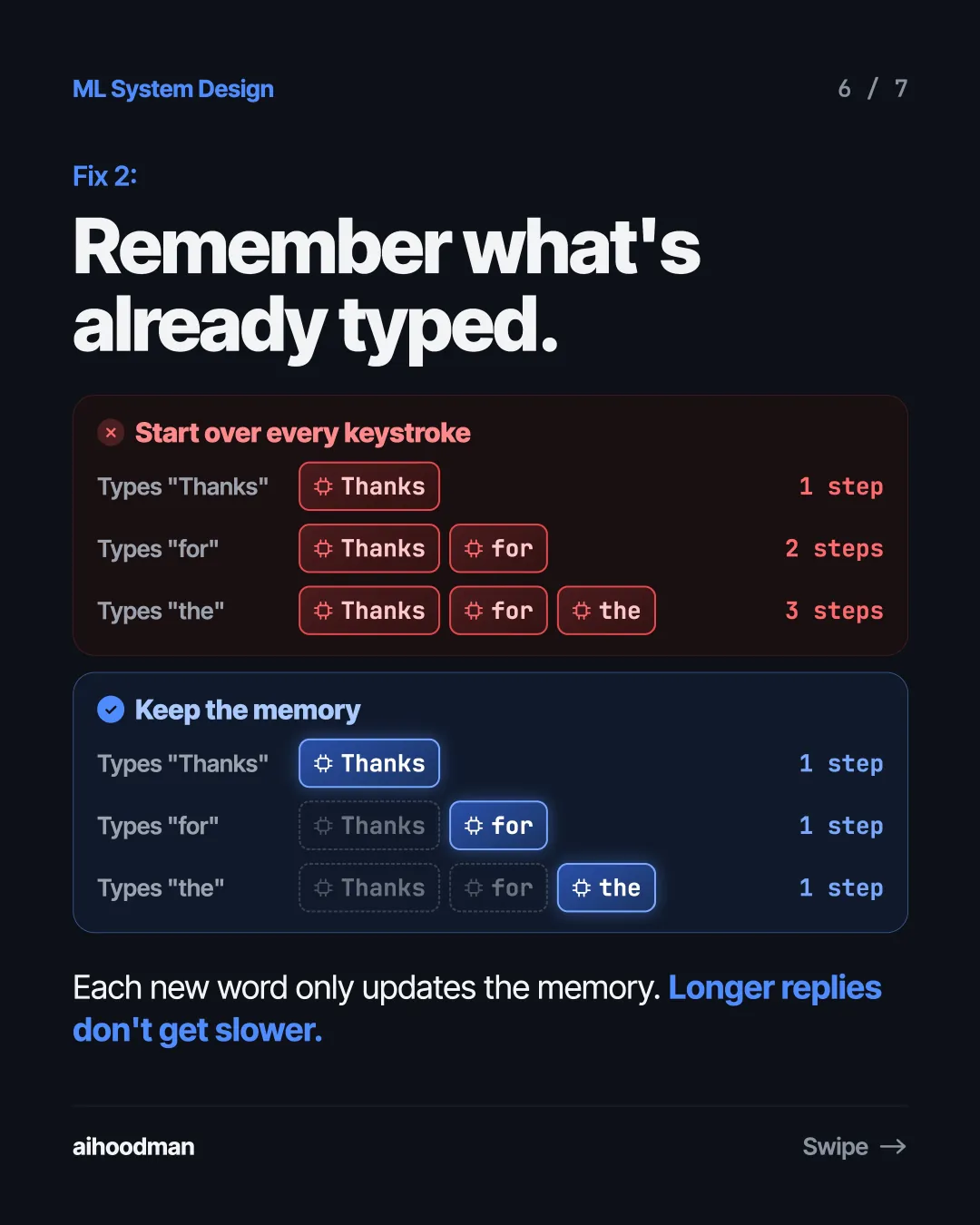
  6. Slide 6 of 7: Fix 2: Remember what's already typed. Start over every keystroke Types "Thanks" Thanks 1 step Types "for" Thanks for Types "the" Thanks for 2 steps the 3 steps Keep the memory Types "Thanks" Thanks 1 step Types "for" Thanks for Types "the" Thanks for 1 step the 1 step Each new word only updates the memory. Longer replies don't get slower.
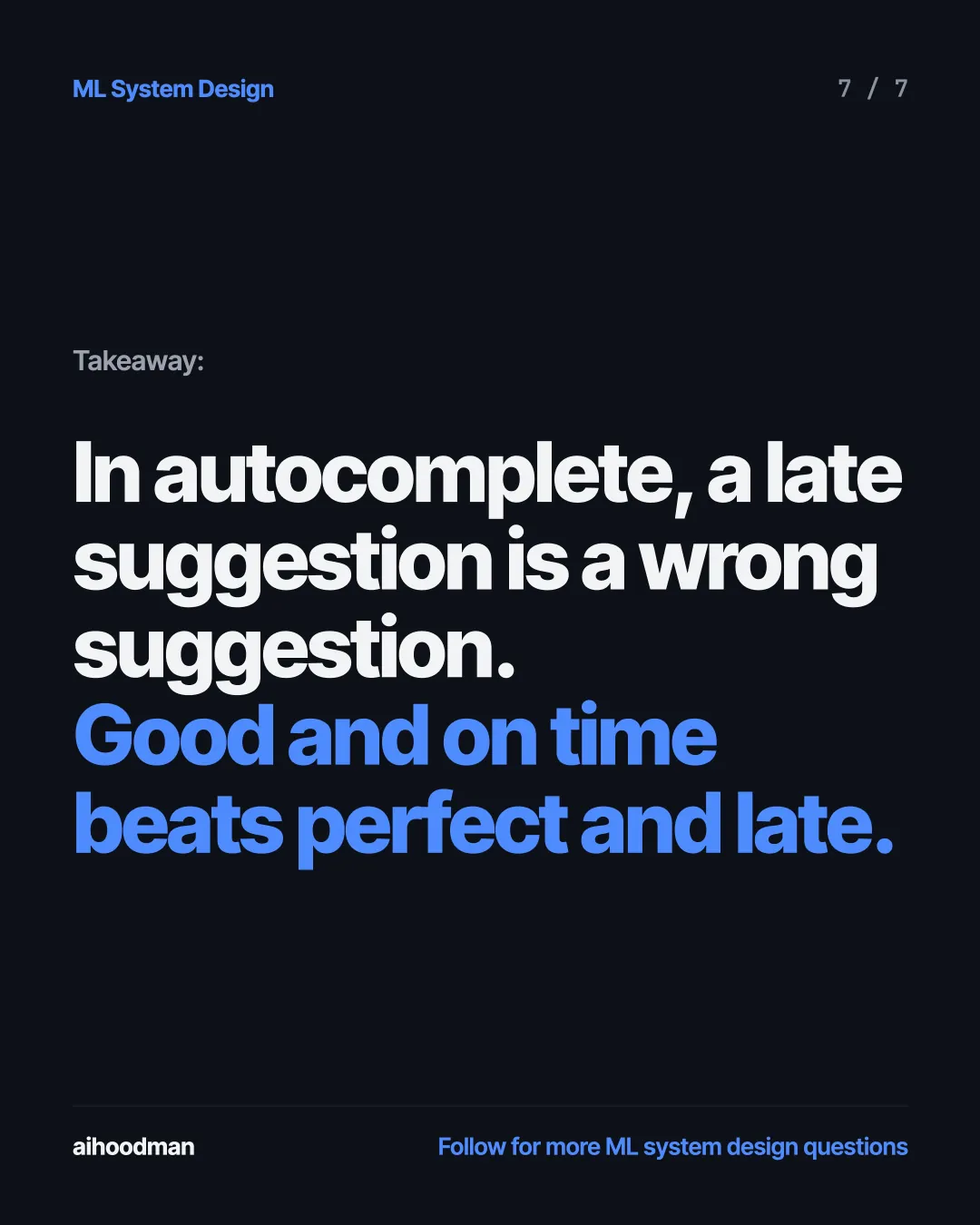
  7. Slide 7 of 7: Takeaway: In autocomplete, a late suggestion is a wrong suggestion. Good and on time beats perfect and late.

Keep reading

Smart Compose · 1 / 7
  1. Slide 1 of 7: Your autocomplete is accurate. But its suggestions arrive too late. Re: Project slides I finished the slides. Thoughts? Late Thanks for the help with the project. Send Next keystroke: 150 ms Typed "the" Suggestion: 700 ms How do you make it fast enough?
  2. Slide 2 of 7: The key idea: Your deadline is the next keystroke. Thanks for the for the help 60 ms Every new word means a new prediction. Gmail's goal: 9 in 10 suggestions in under 60 ms.
  3. Slide 3 of 7: The catch: The more accurate model is slower. Transformer LSTM Re-reads all earlier words. Keeps a running memory. Thanks Picked for the help Thanks for the help Exact match 67.7% Speed Exact match 67.0% Speed Slow 4x faster Exact match: suggestion = what the user typed. Google picked the LSTM.
  4. Slide 4 of 7: Fix 1: Summarize the email once. Context: subject + previous email Project slides I finished Every word → a vector the Average Your reply Thanks slides Thoughts 1 summary for the The context doesn't change while you type, so average it once.
  5. Slide 5 of 7: How it's used: The summary rides along with every word. Word Summary Prediction Thanks LSTM for for LSTM the the LSTM help Every prediction knows the topic, without re-reading the email.
  6. Slide 6 of 7: Fix 2: Remember what's already typed. Start over every keystroke Types "Thanks" Thanks 1 step Types "for" Thanks for Types "the" Thanks for 2 steps the 3 steps Keep the memory Types "Thanks" Thanks 1 step Types "for" Thanks for Types "the" Thanks for 1 step the 1 step Each new word only updates the memory. Longer replies don't get slower.
  7. Slide 7 of 7: Takeaway: In autocomplete, a late suggestion is a wrong suggestion. Good and on time beats perfect and late.